
Wedding RSVPs Without the Guesswork
There is one question that hums under the surface of every wedding plan, from the first venue tour to the final week before the big day. It is not about flowers, or the band, or whether the weather will hold. It is quieter than that, and it follows couples around like a shadow. How many people are actually coming?
If you have started planning a wedding near Raleigh, you already know the feeling. You send out beautiful invitations. You wait. A few people reply right away. Most do not. Your caterer needs a number. Your seating chart depends on that number. Your lodging plan, your bar package, your welcome bags, your ceremony chairs, all of it waits on that number. And somewhere around week three, you find yourself texting your college roommate to ask, gently, whether she and her husband are coming, because you genuinely cannot tell.
We built Scarborough House to take that weight off your shoulders. Not just the ceremony and the lodging and the grounds, but the planning itself. This is the story of one small thing we added to your couples portal that turns the most stressful part of guest management into something you can do in a single afternoon, from your couch, with a cup of coffee. We think it will change how you feel about your whole guest list.
The old way of chasing RSVPs, and why it wears couples down
For most of modern history, the RSVP has been a paper affair. You mailed a card, and inside that card was a smaller card, and a smaller envelope, already stamped, that your guest was supposed to fill out and mail back. It was charming. It was also slow, expensive, and unreliable in ways that only reveal themselves when you are three weeks out and forty cards short.
The couples we host in Stantonsburg and across eastern North Carolina almost never use paper cards anymore, and we understand why. A modern guest list is scattered across the country. Some of your people are in Wilson, some are in Greenville, some are in Durham or Wake Forest, and some are flying in from three states away. Paper does not keep up with that. So couples move to text messages and group chats and shared spreadsheets, and that is where the real trouble starts.
The spreadsheet that never quite balances
Here is what usually happens. You build a spreadsheet. It has columns for names, and a column for yes or no, and maybe a column for meal choice. You share it with your partner. You start filling it in from memory, from texts, from a comment your aunt made at a family dinner. Two weeks later you cannot remember whether your cousin said he was bringing a date or just thinking about it. Your partner added three names you already had under slightly different spellings. Someone told you at a party they would love to come, and you never wrote it down.
None of this is a failure of organization. It is simply what happens when the tool cannot talk back to you. A spreadsheet does not know who opened your message. It does not remind anyone. It does not ask your guest their meal choice or whether they are bringing children. It just sits there, waiting for you to do all the work by hand, and then quietly goes out of date the moment you look away.
What we built into your couples portal
When you book a wedding weekend with us, you get more than the estate. You get a private planning portal that only you and your partner can see. It holds your guest list, your room assignments, your vendors, your weekend timeline, and your private documents. It is the quiet command center for your whole celebration.
Inside that portal lives your guest list, and we recently gave it the one thing it was missing. You can now invite your guests, and remind them, by email, straight from the same screen where you manage their names. No copying links into forty separate text messages. No wondering whether your message got buried. No spreadsheet. Just a clean list, and two buttons that do the heavy lifting for you.
A real RSVP page for every single guest
Every guest on your list gets their own private web page. When they open it, they see your names, your wedding date, and a warm, simple form. They tell you whether they can come. If you have allowed a plus one, they add their guest by name. If you have allowed children, they list the little ones and their ages, so your caterer and your planning both account for them. They pick a meal. They can leave a note about a food allergy or a dietary need.
Because each page belongs to one guest, there is no login to remember and no password to reset. The link is the key. That is exactly how a wedding invitation should feel: personal, effortless, and clearly meant for them. And because the page lives on our site rather than a third party form, it stays on brand, it stays fast, and it stays yours.
Send invites by email, right from your dashboard
This is the part couples tell us they wish they had from day one. Once your guest list is built, and each guest has an email address, you press a single button that reads Email all invites. That is it. Every guest who has not been invited yet receives a beautiful invitation email with your names, your date, and a button that takes them straight to their own RSVP page.
You can also send invites one at a time. Maybe you are adding a late guest, or a coworker you forgot, or your partner's new brother in law. You add them to the list, press Send on their row, and the invitation goes out immediately. The moment it sends, we mark that guest as invited, so you always know at a glance who has heard from you and who has not.
If a guest does not have an email on file, that is fine too. You can still copy their private link and send it however you like, by text or through a family group chat, the same way many couples already do. The email feature does not replace the old way. It sits right next to it, for the guests where it saves you the most time.
Gentle reminders for the ones who forget
Now for the real magic. A week or two after your invites go out, some people will have replied and some will not. This is normal. Life is busy. Your guests are not ignoring you, they simply set the email aside and forgot to come back to it. In the old world, this is where you started the awkward texting. In your portal, you press one more button: Send reminders.
That button is careful and considerate on your behalf. It only sends to guests you have already invited who have not yet responded. It never bothers the people who already said yes. It never nags someone twice by accident. It just quietly nudges the exact people who need a nudge, with a warm and gentle note, and it does it in seconds. The people who love you are not annoyed by a kind reminder. They are grateful for it, because now they will not forget your day.
A live count you can actually trust
As replies come in, your guest list updates itself in real time. You can see who has responded, who has opened their invitation but not replied yet, and who has been invited but has gone quiet. You do not maintain any of this by hand. You do not update a spreadsheet. The list simply tells you the truth, every time you open it.
When your caterer asks for a number, you have a number. When it is time to build your seating chart or assign the bedrooms across the estate, you are working from reality, not a guess. That confidence, in the middle of a busy planning season, is worth more than almost anything else we could give you.
Why an accurate head count changes your entire day
It is easy to think of the RSVP as a small detail. It is not. It is the number that everything else is built on, and getting it right early makes the rest of your planning calmer and less expensive.
Catering and the bar
Caterers price by the plate, and most need a firm count a couple of weeks out. Overestimate, and you pay for food and drinks nobody eats. Underestimate, and you risk running short in front of your guests. A guest list that captures real replies, with meal choices and dietary notes attached, hands your caterer clean information instead of a rough guess. If you want to think through quantities yourself first, our wedding food and drink calculator will help you sketch a plan before you ever call a vendor.
Seating and the ceremony
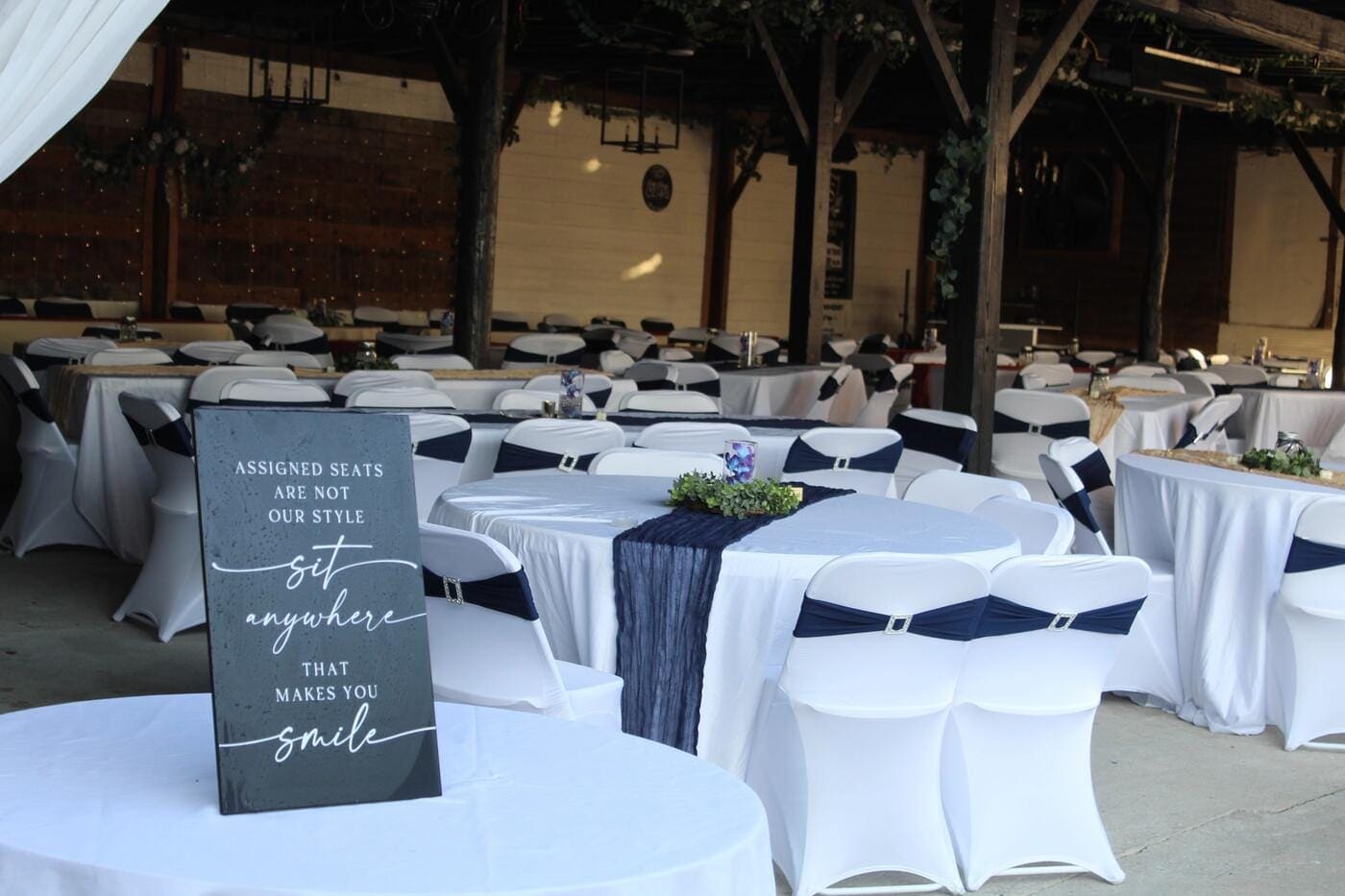
Your ceremony and your reception both depend on knowing how many chairs to set and how to arrange them. Once you have a reliable count, our ceremony seating planner turns that number into a printable chair diagram you can hand to your team. No more counting heads twice and hoping the aisle looks right. The count feeds the plan, and the plan feeds a calm morning on your wedding day.
Lodging across the estate
One of the things that makes Scarborough House different from a typical Raleigh area venue is that your people can stay on the property. With thirteen bedrooms across the estate, much of your inner circle can sleep where the celebration happens, which means no late night drives and no scramble for hotels. But room assignments only work when you know who is coming and who is staying. Your guest list and your lodging plan live in the same portal for exactly this reason. When the count is real, the rooms almost assign themselves.
How it works, step by step
We designed this to be simple enough to do in one sitting. Here is the whole flow, start to finish.
Step one, build your list
Open your couples portal and go to your guest list. Add guests one at a time, or paste a whole list at once, or upload a spreadsheet you already started. For each guest you can set whether they are allowed a plus one, whether children are welcome, and their party size. This is the same list you would have kept anyway, just in a place that can actually help you.
Step two, send your invites
When you are ready, press Email all invites. Every guest with an email who has not been invited yet receives their invitation and their private RSVP link. Watch the status column update as the messages go out. If you prefer, invite people in small batches, or one at a time, on your own schedule.
Step three, let the replies roll in
Your guests open their pages, tell you whether they are coming, add their plus ones and children, and choose their meals. Your list updates itself. You do nothing but watch the picture come into focus.
Step four, send a gentle reminder
A week or two later, press Send reminders. Only the invited guests who have not replied get a kind nudge. Most of them will respond within a day, because the reminder is easy to act on and clearly comes from you.
Step five, export and plan
When you need your list in a spreadsheet for a vendor, export it with one click. Now your caterer, your planner, and your rental company all get the same clean, current information, straight from the source.
Planning a wedding around Scarborough House
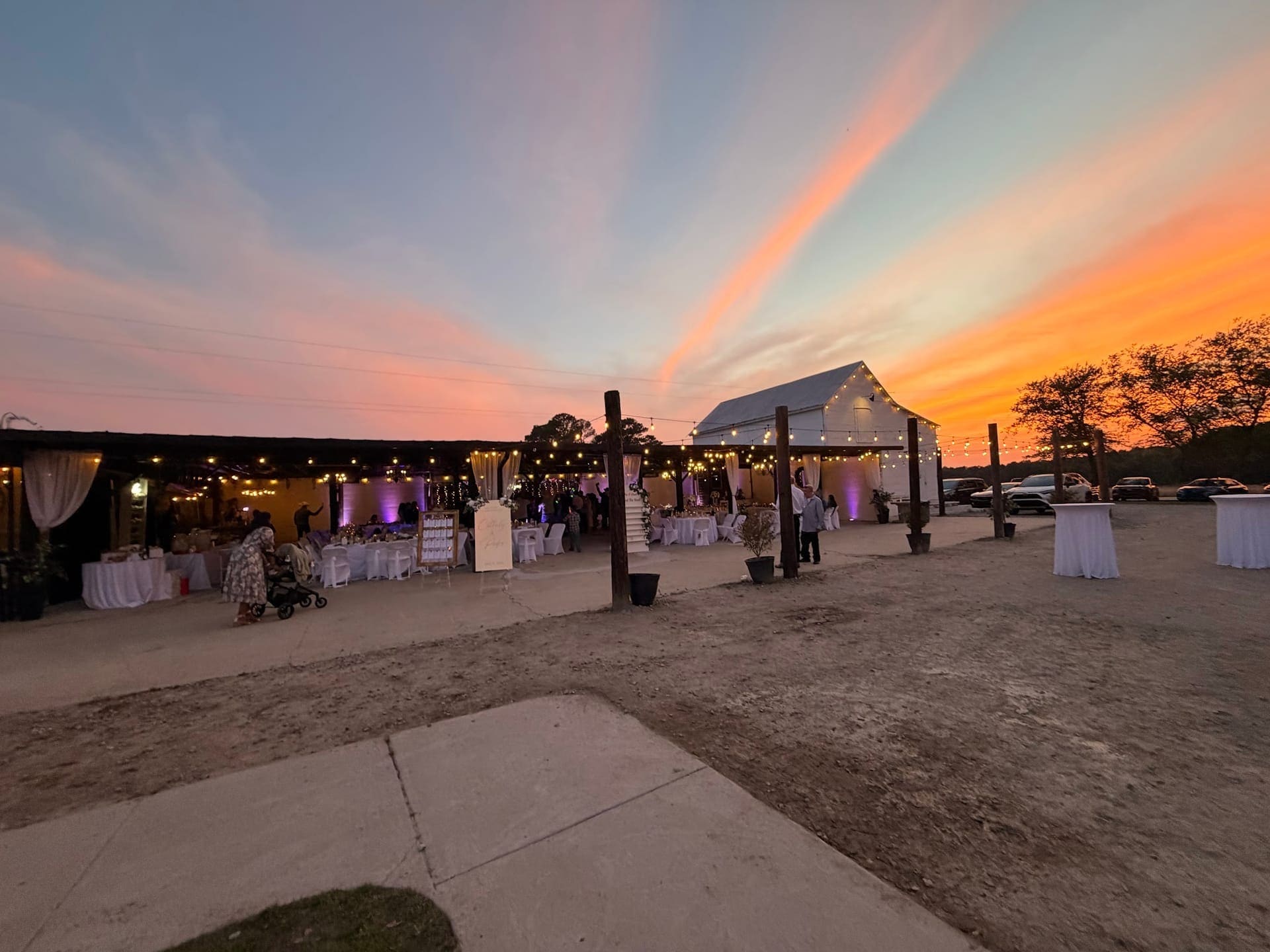
We sit in Stantonsburg, a small town in Wilson County that puts you within easy reach of the whole region. The greater Wilson area is minutes away, Greenville and Pitt County are a short drive to the east, and the Triangle, meaning Raleigh, Durham, and Wake Forest, is close enough to give you a destination wedding feeling without asking your guests to travel far or spend a fortune. If you are searching for a wedding venue near Raleigh with lodging, that combination is exactly what we were built to offer.
The estate itself is the oldest Federal style home in Wilson County, restored with care and now the home of the wedding weekend experience. You can read that whole story on our about page, and you can see what the grounds and the pavilion actually look like on a real wedding day in our photo gallery, where every image is from an actual celebration here. When couples ask why the guest tools matter so much to us, the answer is simple. We host the whole weekend, not just a few hours, so we care about every part of your experience, including the parts that happen months before you ever arrive.
It all lives in one place
Thinking about touring? Most couples know within the first ten minutes on the grounds. See tour times or check pricing first.
The invite and reminder tools are one piece of a larger idea. We have been quietly building a full set of planning tools so that your wedding lives in one calm, connected place instead of a dozen tabs and apps. Your guest list feeds your seating plan. Your date feeds your golden hour calculator, so your photographer knows exactly when the light will be perfect over eastern North Carolina. Your vendor list keeps your trusted team in one spot. And your portal keeps all of it behind one private door that only you and your partner hold the key to.
None of it costs extra. It comes with your wedding weekend, because we would rather you spend your energy on the parts of planning that are joyful, and let the software handle the parts that are not.
Questions couples ask us about RSVPs
Whenever we show a couple this part of the portal for the first time, the same handful of questions come up. Here are the honest answers.
What if some of my guests do not use email?
That is completely fine, and more common than you might think, especially with older relatives. Guests without an email on file simply do not get emailed. Instead, you copy their private RSVP link and send it the way you already reach them, by text message or through a family group chat. They land on the exact same personal page as everyone else, and their reply flows into the same list. The email tool is there to save you time on the guests where it helps most. It never leaves anyone out.
How do plus ones and children work?
You decide, guest by guest. When you build your list, you choose whether each guest may bring a plus one and whether children are welcome in their party. Your guests only see the options you have allowed them. If a plus one is invited, they add that person by name on their RSVP page, which means you get real names for your seating chart instead of a mystery guest. If children are welcome, guests list the little ones and their ages, so your caterer can plan kids meals and you can plan your day around the youngest attendees. It is a small thing that prevents a lot of last minute surprises.
Is my guest list private?
Yes, completely. Your couples portal is locked to you and your partner. No other couple can see your list, and the public side of our website never shows it. Each guest can only ever see their own RSVP page, not anyone else's, and not the full list. Your guest information belongs to you, and it stays that way.
Can I still send paper invitations too?
Absolutely. Many couples love a beautiful printed invitation for the keepsake and the ceremony, and there is nothing about our tools that stops you. Some couples mail a printed invitation for the formal announcement and then use the portal for the actual RSVP, so they get the charm of paper and the ease of digital tracking at the same time. The two work together beautifully. Think of the portal as the part that does the chasing for you, so your paper invitation gets to be purely lovely.
When should I send invites and reminders?
Every wedding is a little different, but a common rhythm works well. Send your invitations around six to eight weeks before the wedding, or earlier for guests traveling from outside eastern North Carolina who need to book travel and lodging. Then, about two weeks after your invites go out, send your first reminder to anyone who has not replied. If you still have a few stragglers as your caterer deadline approaches, one final reminder usually brings them in. Because the reminder button only touches invited guests who have not responded, you can press it as often as you need without ever bothering the people who already said yes.
The small touches that make guests feel welcome
A good RSVP system is not only about a number on a spreadsheet. It is the very first impression your guests get of your wedding weekend, and first impressions matter. When your invitation arrives looking warm and personal, with your names on it and a page that clearly belongs to them, your guests feel invited in a way that a generic form never manages. That feeling carries all the way through the weekend, from the moment they reply to the moment they walk under the pavilion lights.
It also lets you plan the thoughtful details that guests remember. When you know who is coming and who is staying on the estate, you can plan welcome bags, arrival snacks, and a weekend schedule that actually fits your people. You can group families in the right bedrooms. You can make sure the guest with a dietary need has something wonderful to eat, because they told you weeks ago on their RSVP page. These are the touches that turn a wedding into a weekend your guests talk about for years, and they all start with knowing, early and clearly, exactly who will be there.
Planning through the North Carolina seasons
Eastern North Carolina gives you four real, distinct seasons, and each one changes how a wedding weekend feels here. Spring brings green fields and long, soft evenings. Summer is warm and golden, and we plan around the heat with a cooled pavilion and a pool on the property. Fall is many couples' favorite, with crisp air and rich color across the grounds. Even winter has a quiet, cozy charm when the fire pits are lit. Your guest list and your season work hand in hand, because knowing your final count early lets you plan the right comforts for the weather your guests will actually meet.
Light changes with the seasons too, and light is everything in your photos. Once your date is locked in, our golden hour calculator tells you the exact moment the sun will sit low and warm over the fields, so you and your photographer can plan your portraits down to the minute. It is one more example of how the pieces connect. Your date, your guest count, your timeline, and your light all live in one place and quietly work together, so you are never juggling them alone. If you want to get a feel for the wider area your guests will explore, our area guide covers the towns and sights near the estate.
Come see it in person
Reading about a venue only takes you so far. The best way to understand what a wedding weekend here feels like, and how the planning tools fit into it, is to walk the grounds yourself. Stand in the pavilion. See the bedrooms. Picture your people filling the place. When you tour with us, we will show you the portal too, so you can see exactly how your guest list, your invites, and your reminders will work for your day.
If you are ready to stop guessing about your guest count and start planning with confidence, we would love to meet you. You can see current dates and pricing on our pricing page, read through common questions on our FAQ, and when you are ready, book a private tour of Scarborough House. Your guest list, and your peace of mind, are waiting.